



















how to check pf balance
Learn how to check your PF balance easily online, via app, SMS, or call. This comprehensive guide covers EPFO methods, requirements, tips, and FAQs for employees in India. Stay updated on your provident fund!

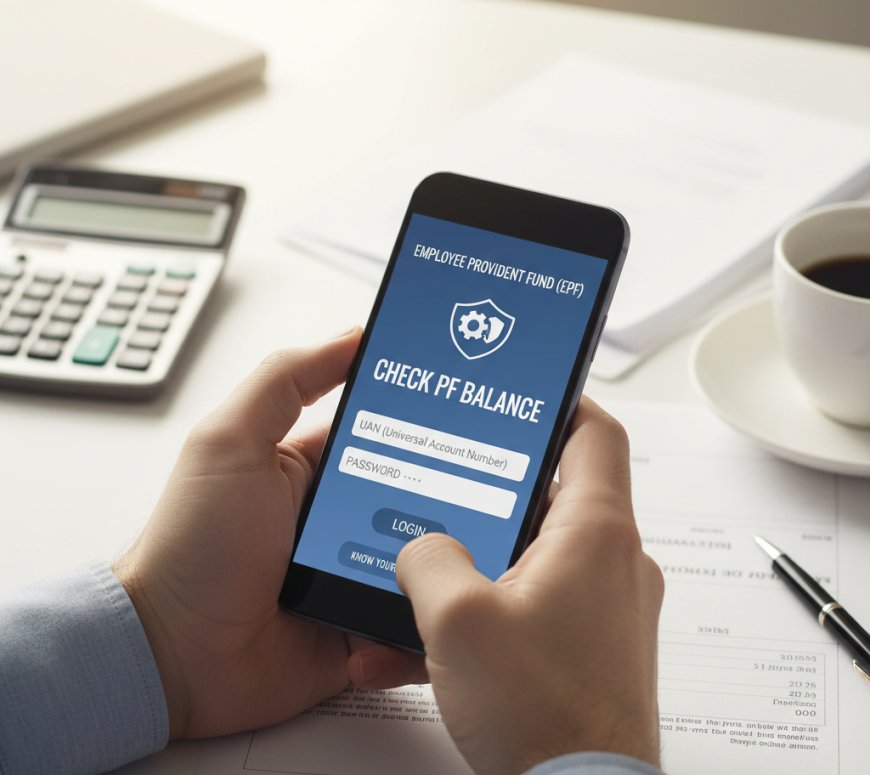
Checking yourProvident Fund (PF) balanceis a crucial financial habit for millions of salaried employees in India. Managed by the Employees' Provident Fund Organisation (EPFO), your PF account accumulates savings from your contributions and your employer's matching amount, along with interest. Knowinghow to check PF balancehelps you track your retirement savings, plan withdrawals, or ensure compliance during job changes. In this guide, you'll learn multiple methods to access your balance securely, why it's essential, and tips to avoid errors. Whether you're a first-time checker or need advanced insights, this step-by-step resource will empower you with practical knowledge based on official EPFO guidelines as of 2023 updates.
Why Checking Your PF Balance Matters
Regularly monitoring yourPF balanceensures accuracy in contributions, detects discrepancies early, and aids in financial planning. With EPFO's digital push, checking is now instant and paperless. By the end, you'll master online portals, apps, SMS, and missed call services, plus handle common issues.
Required Tools/Resources
To check yourPF balance, you'll need:
- Universal Account Number (UAN): Your unique 12-digit EPFO identifier, activated via your employer or EPFO portal.
- Registered Mobile Number: Linked to your UAN for OTP verification.
- Internet Access: For online methods; a smartphone or computer.
- PF Account Details: Member ID or establishment code (optional for some methods).
- Apps/Portals: UMANG app, EPFO website (epfindia.gov.in), or m-APPS like EPF Passbook.
- Aadhaar Linkage: Recommended for seamless e-KYC. No special software is requiredofficial EPFO tools are free and secure. Ensure your UAN is seeded with Aadhaar, PAN, and bank details for full access.
Comprehensive How-To Steps
Here are detailed methods to check yourPF balance. Start with the easiest based on your setup.
Method 1: Via EPFO Member Portal (Online Website)
- Visit the official EPFO website at epfindia.gov.in and click on "Services" > "For Employees" > "Member UAN/Online Service (OCS/OTCP)".
- Log in with yourUAN, password, and captcha. If new, register by entering UAN, mobile number, and generating an OTP.
- Activate your UAN if inactive: Go to "Activate UAN" under the same section, provide details, and verify via OTP.
- Once logged in, select "View" > "Passbook" to see yourPF balance, contributions, and transaction history.
- Download the passbook PDF for records. This shows member contributions, employer shares, interest earned, and withdrawals.
This method is ideal for detailed statements and works on any browser.
Method 2: Using the UMANG Mobile App
- Download the UMANG app from Google Play Store or Apple App Store (Unified Mobile Application for New-age Governance).
- Register or log in with your mobile number and OTP.
- Search for "EPFO" in the app's services section and select "Employee Centric Services".
- Enter yourUANand OTP sent to your registered mobile.
- Tap on "View Passbook" to display yourPF balance. You can view multiple PF accounts if linked to the same UAN.
- Enable notifications for contribution updates.
UMANG integrates Aadhaar for quicker access and supports regional languages.
Method 3: Through SMS Service
- Ensure your UAN is activated and mobile number registered.
- Send an SMS from your registered mobile in the format: EPFOHO UAN ENG (for English) to 7738299899.
- Replace ENG with HIN for Hindi, PUN for Punjabi, etc. (up to 10 languages supported).
- Receive an instant SMS reply with yourPF balance, last contribution date, and member details.
- No internet neededperfect for remote areas.
This is quick but provides basic info only; use for spot checks.
Method 4: Missed Call Service
- Give a missed call to 011-22901406 from your UAN-registered mobile.
- The call disconnects automatically after a few rings.
- Get an SMS within minutes showing yourPF balance, name, DOB, and last contribution.
- Valid only for activated UANs with updated KYC.
Limit: One query per day per number.
Method 5: EPFO Mobile App (m-APPS or PF Passbook App)
- Download the official "m-APPS" or "EPF Passbook" app from app stores.
- Log in withUAN, mobile OTP, and password.
- Navigate to "Member" > "Passbook" for real-timePF balanceview.
- Track pension contributions if applicable (EPS).
For international users, use VPN if geo-restricted, but official access is India-focused.
If issues arise, visit a regional EPFO office with ID proof for manual verification.
Tips and Best Practices
- Activate UAN Early: Do this within 15 days of receiving it to avoid delays. Link Aadhaar via the portal for e-KYC to enable withdrawals.
- Update KYC Regularly: Ensure PAN, bank, and Aadhaar are verified to prevent balance freeze during claims.
- Check Monthly: Contributions are credited by the 15th; verify employer deposits to catch mismatches.
- Secure Your Account: Use strong passwords, avoid public Wi-Fi for logins, and never share OTPs.
- Common Pitfalls to Avoid: Don't use unofficial appsstick to EPFO/UMANG to prevent data theft. If balance shows zero, check if UAN is activated or contributions pending.
- For Multiple Jobs: Consolidate old PF accounts via "One Member One EPF Account" feature on the portal.
- Tax Implications: Interest above ?2.5 lakh is taxable; track via passbook.
- Offline Alternative: Visit EPFO kiosk or employer HR with Form 19 for statements, but digital is faster.
These practices can save time and reduce errors, as per EPFO's 2023 digital guidelines.
Real-World Examples or Scenarios
Imagine Rajesh, a software engineer who switched jobs. His old employer's contributions weren't reflecting. Using the EPFO portal (Method 1), he logged in, spotted the discrepancy in hisPF balance, and raised a grievance onlineresolved in 10 days.
Or consider Priya, a rural teacher without steady internet. She used the SMS service (Method 3) by texting EPFOHO UAN ENG, getting her balance instantly to plan a home loan withdrawal.
In a corporate scenario, HR teams advise new hires to check via UMANG during onboarding, ensuring 100% KYC compliance and avoiding year-end rushes.
These cases show howPF balancechecks aid in transfers (via Form 13) or emergencies like medical withdrawals (up to 6 months' salary).
FAQs
What if I forgot my UAN?
Retrieve it by visiting epfindia.gov.in, clicking "Know Your UAN", entering your mobile/Aadhaar, and verifying OTP. Your employer can also provide it from payroll records.
Can I checkPF balance without UAN?
No, UAN is mandatory for all digital methods. If unavailable, approach your employer or EPFO office with PF number and ID proof for assistance.
Why is my PF balance not updating?
Delays occur if employer hasn't remitted funds (due by 15th monthly). Wait 5-7 days post-deadline or file a complaint via EPFiGMS portal.
Is there a fee to check PF balance?
All official methods are free. Avoid third-party services charging feesthey're unauthorized and risky.
How often is interest credited to PF?
Annually in April, at 8.25% for FY 2023-24. Check post-credit via passbook for updatedPF balance.
Can NRIs check PF balance?
Yes, using international numbers if registered, or update to Indian number. Use portal with VPN if needed, but claim process requires Indian bank.
What if OTP isn't received?
Ensure mobile is linked; check spam or network. Resend OTP or update number via employer/EPFO helpdesk at 1800-118-005.
Wrapping Up
Masteringhow to check PF balanceempowers you to manage your savings effectively through portals, apps, SMS, or calls. Key takeaways: Prioritize UAN activation, use official tools, and monitor regularly for financial security. With EPFO's user-friendly updates, it's simpler than everstart today to secure your future. Log in now and take control of yourprovident fund!